
Custom terrain services
Contents
Custom Terrain services can be imported and used for a single project.

Creating a terrain service
To import a custom terrain, click on Import Terrain Service
Enter the Terrain Name and choose your data file to upload.
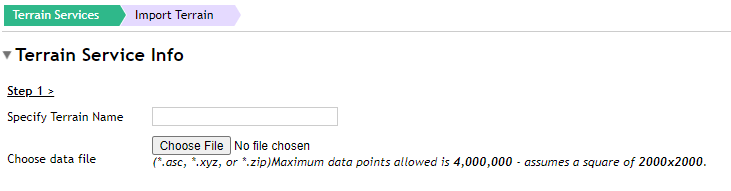
Notes:
- Creating and importing the terrain service can take up to an hour depending on load through the TVV portal at the time
- The size of the custom DTM is measured in data points. Users can import a total of 1,000,000 data points arranged in a 1000×1000-point square. For a 50m DTM this allows you to import an area of 50km by 50km
Using a terrain service
To use a custom terrain service in a project, navigate back to the relevant project, click Edit project and select the custom terrain service to be used.
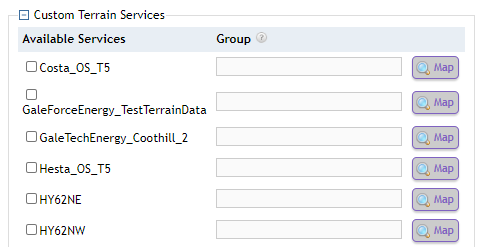
If multiple custom terrain services are added to a project, an option to use a derived terrain service will be added to the list of the terrain services that can be selected on the app. This will make requests that union results from several terrain services and returns that data.