
Data Security
Contents

Changing your password
You can help keep access to the TVV Portal more secure by changing your password regularly and by using a strong password.
To change your password:
- Click your Username in the top right-hand corner of the screen
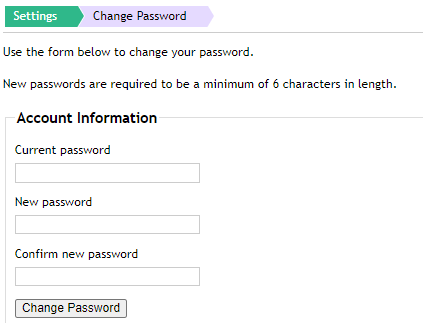
- The Change Password screen is shown
- Enter your current password
- Enter your new password
- Confirm your new password
- Click Change Password
- The new password is successfully updated
Note:
New passwords are required to be a minimum of six characters in length.
Logging off from the portal
As an additional security measure, please remember to log off once the session is complete.
To log off:
- Click Log off in the top right-hand corner of the screen
- Log off is successful and the login page is shown
HTTPS security
All requests to http://portal.trueviewvisuals.com will be redirected to https. This uses industry-standard encryption to protect your data in transit.