Cumulative tab
Contents
On the wind domain only, the cumulative tab shows the information on cumulative wind projects as shown around the project you are assessing.
Cumulative information can come from two sources:
- the user’s organisational cumulative project
- a free summary of the national dataset
All cumulative information is based on what cumulative wind projects can be found in the search area. The search area is taken from the centre-point (average location) of all the turbines in your project for a given radius.
Horizontal Subtended Angle
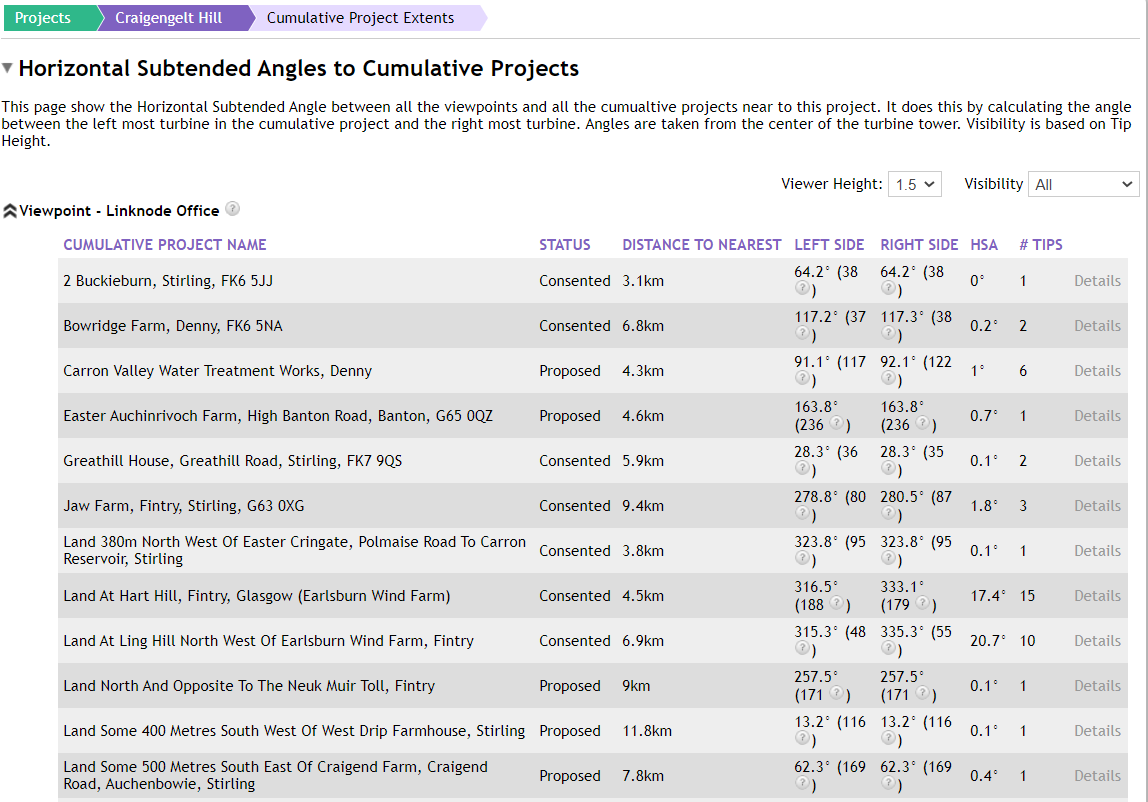
The Horizontal Subtended Angle can be found within the Cumulative section of every wind project. This will calculate the angle of the left turbine, the right turbine and the overall spread based on the viewpoints that belong to the project. There is also an option to export the data into a CSV file.

Clicking the button above in the Cumulative tab will take you to the page below, when a viewpoint is expanded, it details the angles between the cumulative projects and the viewpoint.